Blog · Explainer Videos · September 17, 2026
Product demo video script: a template that fits in 90 seconds
A fill-in script template for SaaS product demo videos, the word counts that land at 60, 90, and 120 seconds, and the mistakes that make buyers stop watching.
4 min read · Moonshine Media Group
A product demo video has one job: make a buyer believe the product does the thing, in less time than a sales call. Most demo scripts fail before the product appears, because they open with the company instead of the viewer. Here is the structure we write to, the word counts that hit each length, and a template you can fill in this afternoon.
Download the template: Product demo video script template (plain text). It is the same one our writers start from.
How long a product demo video should be
Sixty to ninety seconds is the range that gets finished. The platform data agrees: in Vidyard’s 2025 benchmark of 943,000 business videos, pieces under a minute kept 65% of viewers to the end, and pieces over twenty minutes kept 20%. Wistia’s 2026 State of Video puts average engagement for sub-minute videos at 52%, and the curve only falls from there. A 60-second demo is roughly 150 words of voiceover. A 90-second demo is about 220. A two-minute technical walkthrough for sales follow-up runs to 300 words and belongs in an email, not on a homepage.
The math behind those numbers is simple. A comfortable voiceover pace is about two and a half words per second. Write the script, read it aloud with a stopwatch, and the length is decided before anyone opens an editing program. Scripts that “run long” were long on the page.
The six beats of a demo script
Every demo we write has the same six beats. The timings below are for a 75-second piece; scale them for longer or shorter.
1. The situation, 0:00 to 0:08. Open on the viewer’s day, not your product. Name the exact moment the problem shows up. “Every Monday, the security team pulls last week’s phishing results by hand” beats “Acme is the leading platform for” every time, because the viewer decides in the first ten seconds whether you understand their job.
2. The cost, 0:08 to 0:15. What the problem costs in hours, dollars, risk, or embarrassment. One number, if you have one you can defend.
3. The turn, 0:15 to 0:22. Introduce the product by what it does, not by its category. Nobody has ever bought “an AI-powered platform.” They buy “the report is on your desk before you sit down.”
4. The demo, 0:22 to 0:55. Three beats, each one screen, one action, one result. This is the part buyers came for, and it gets close to half the runtime. Keep the cursor honest: one click per beat. If a feature needs four clicks to show, it is not the feature for this video.
5. The proof, 0:55 to 1:05. A customer name, a before-and-after number, or a named integration. If none of those are real yet, cut the beat. A vague “trusted by teams everywhere” costs you more credibility than the ten seconds are worth.
6. The ask, 1:05 to 1:15. One action, said once, pointing at one URL.
Show the product, do not describe it
A demo that describes a product loses to one that shows it working. The trap is the live screen recording: real customer names in the data, a notification sliding in at the wrong moment, a release two months later that makes the video wrong.
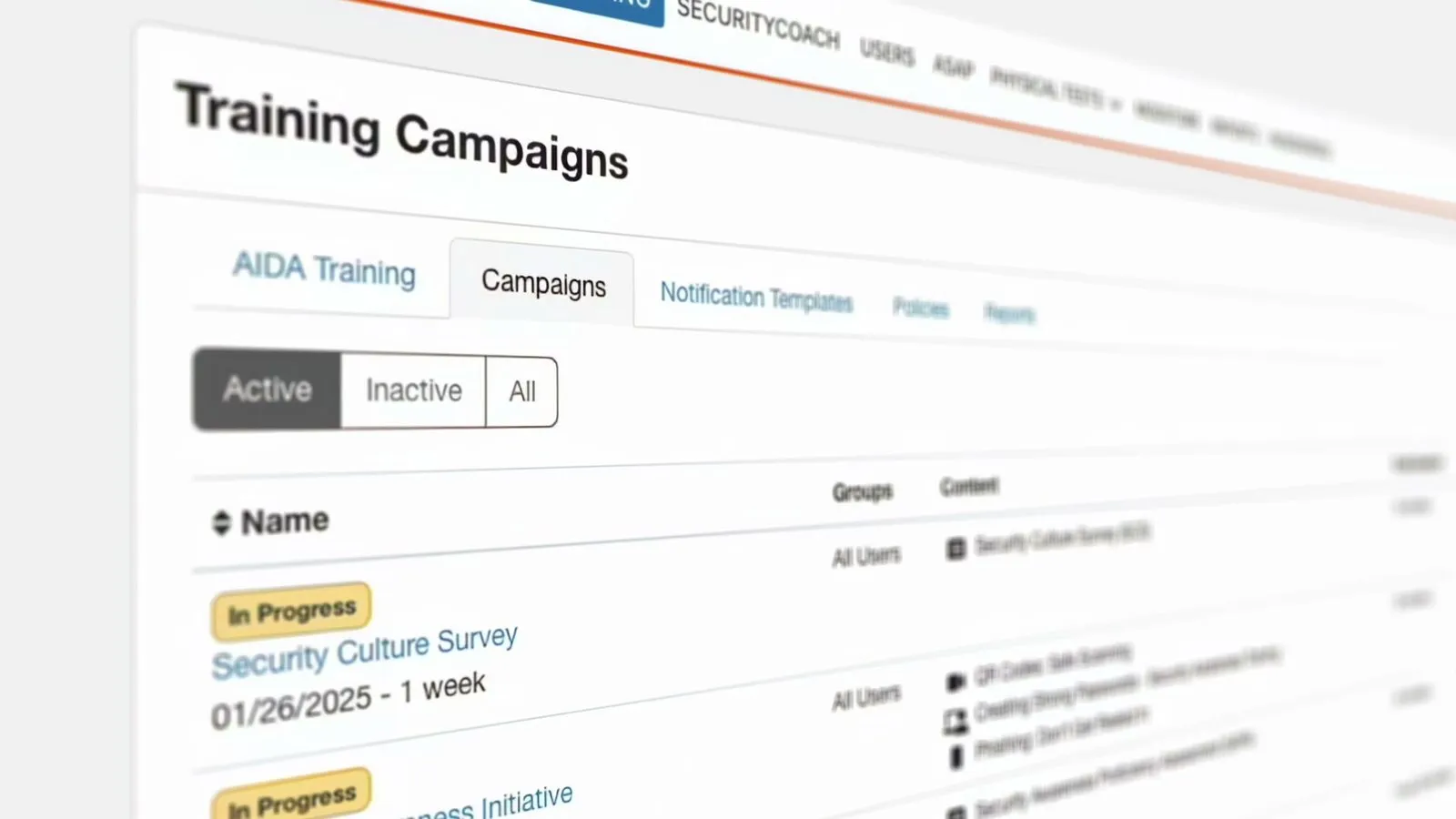
We build the UI in the video as a system, with the product’s real layouts and components and clean synthetic data. It reads as the real dashboard, it passes a compliance review, and when the product ships a new screen, the change is a frame swap, not a reshoot. KnowBe4’s AIDA demo, the frame at the top of this post, was built that way: the campaigns table is the real table, the names in it are not real people.
Demo videos without a screen recording
The most common question we get from SaaS marketers is some version of “can we make a demo video without recording our product,” usually because the product is not finished, the UI is mid-redesign, or the data on screen cannot leave the building. Yes. Screenshots and a Figma file are enough to rebuild the interface, and an unfinished product is the normal case for a launch video, because the video has to be ready before the release is.
What it costs and how long it takes
An animated demo is priced at $215 per finished second, all in: script, storyboard, design, animation, voice, music, and revisions. A 60-second demo is about $13,000. A 90-second demo is about $19,000. The process is four stages with an approval at the end of each, and it takes about twelve weeks at a normal pace, nine when a launch date is fixed.
The script stage is where the cutdowns are planned: a 30-second version for paid social built from beats 3, 4, and 6, a silent captioned cut for LinkedIn, and the full piece for the demo request page. Plan them now and they are included. Plan them after delivery and they are a second project.
The checklist
Before anything is animated or shot, the script passes seven checks. The first sentence is about the viewer. Every screen shows a result, not a menu. The word count matches the target length at two and a half words per second. Every number on screen is one you can defend on a sales call. The synthetic data is clean, with no real customer names and no placeholder text. A 30-second cut can be lifted without rewriting. The ask points to one URL.
If your draft passes all seven, send it with a quote request and we will tell you what it would cost to make. If it fails a couple, the template above is the fastest fix.